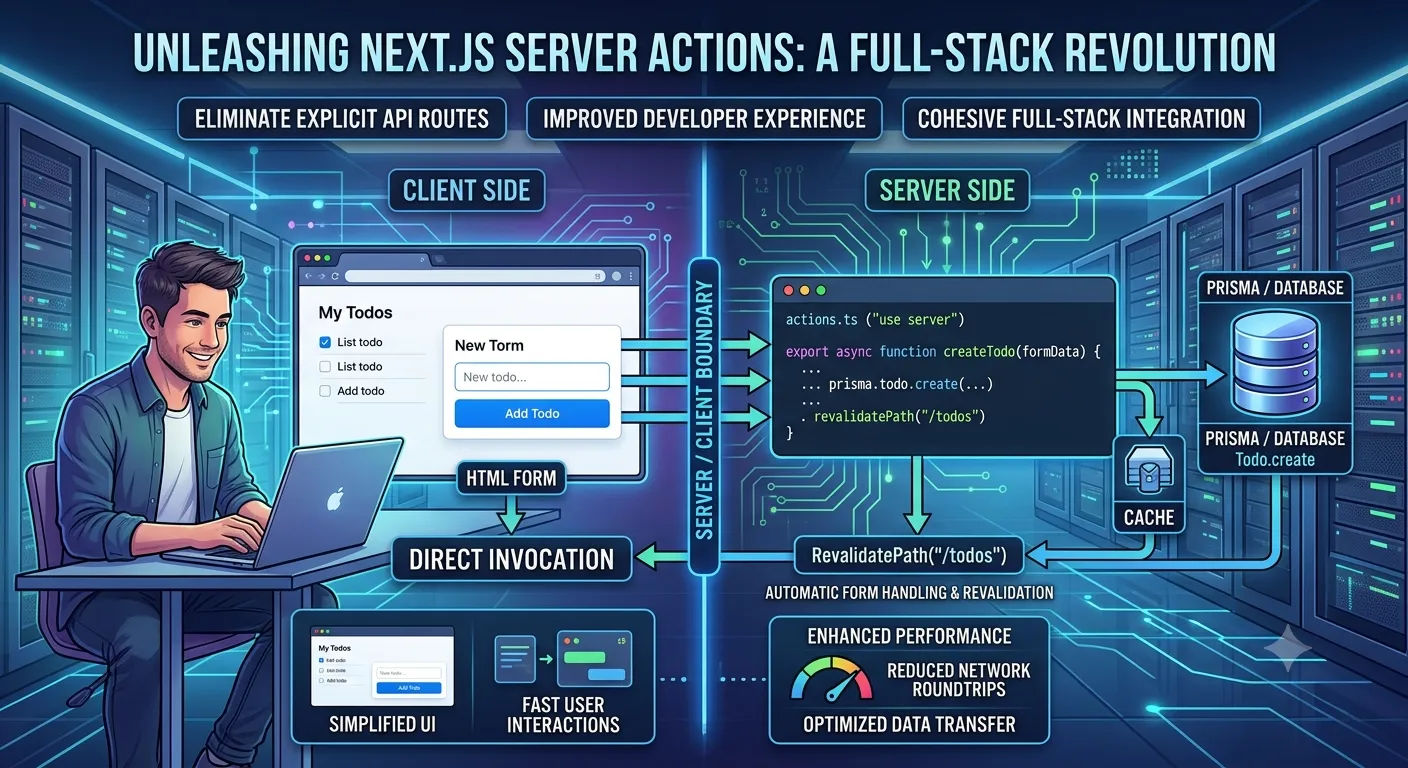
Unleashing Next.js Server Actions: A Full-Stack Revolution
Unleashing Next.js Server Actions: A Full-Stack Revolution
The landscape of web development is constantly evolving, and Next.js continues to lead the charge with innovative features that push the boundaries of what's possible. Among the most impactful recent additions are Server Actions. These powerful capabilities are fundamentally changing how developers approach data mutations and full-stack integration, offering a more streamlined and efficient development experience.
The Challenge of Traditional Data Mutations
Historically, performing data mutations in a React-based application like Next.js often involved creating dedicated API routes (e.g., /api/todos) for handling form submissions, updates, or deletions. This approach, while robust, introduced a layer of indirection:
Defining a separate API endpoint for each mutation.
Writing client-side code to fetch data from forms, send a POST or PUT request to the API route, and handle the response.
Managing potential network errors and loading states.
While effective, this process could feel cumbersome for simpler operations, leading to boilerplate code and increased complexity, especially when working with data fetching and caching strategies across your application. To understand how to handle database layers efficiently before jumping into actions, it helps to know why PostgreSQL with Prisma is the ultimate choice for modern applications.
How Server Actions Simplify Everything
Server Actions allow you to define server-side functions that can be directly invoked from your client-side or server-side components. This blurs the lines between front-end and back-end logic in a powerful and elegant way. Here’s how they work:
Direct Invocation: Call server functions directly from your components without needing a separate API route.
"use server"Directive: Mark functions or entire files with"use server"to designate them as server-only code that can be executed on the server.Automatic Form Handling: Integrate seamlessly with HTML
<form>elements, allowing you to pass form data directly to your server action.Revalidation: After a successful action, you can easily revalidate cached data using
revalidatePathorrevalidateTag, ensuring your UI reflects the latest state. For a deeper dive into this, check out our guide on real-time data revalidation for dynamic UIs.





